
I Passed the CKA#
Welcome back, friend. I passed the Certified Kubernetes Administrator (CKA) exam this year, 2026. It was much easier than expected, but then again, I did prep for a few months, with about a five-week pause in the middle for job searching that didn’t pan out. Let me talk a little about what I did to prep, how the exam went, and what my next steps are.
The Prep#
I started with a KodeKloud course built for CKA prep and worked through it end to end over about two or three weeks. Right after finishing, two separate companies reached out to interview me. One fizzled out after an initial recruiter screen. The other went further, I made it to the third round of four, but didn’t land the final round. Prepping for those interviews had me revisiting Python coding and learning about SLSA, along with brushing up on how to build and package containers, for a job that in the end didn’t go anywhere.
After that, I got back to prepping and started on the Killer.sh simulated exams. Simulator A is where I struggled. The portal reset on me partway through, family interruptions ate into my time, and I ran out of clock before reaching the later questions, finishing only 46 out of 93, about 50%.
Afterward I took notes on where I’d gone wrong and pulled the solutions Killer.sh provides for every question. Then I worked with Claude to build a daily plan targeting my weak areas. I’d originally budgeted a week for it, but it stretched to ten days before I took Simulator B and scored 79 out of 93, about 85%. That was a big jump from Simulator A, though I still wasn’t fully confident, so I reported the results back to Claude and talked through how I was feeling about it.
I was originally scheduled to take the exam on July 1st but pushed it to July 3rd, and I’m glad I did. It let me try something I hadn’t done for any previous certification: taking a break before the exam. Normally I cram straight through, no days off, Monday through Sunday. This time I stopped studying on Sundays and took the day before the exam off entirely. That change paid off. I ended up scoring an 86%.
Some of that score probably comes down to sheer volume of practice. Beyond the KodeKloud course, I worked through all 32 KillerCoda scenarios: four of five domains the first day, the fifth domain the next, and by the third pass I finished all 32 in four hours. The order ended up being Killer.sh Simulator A, then the KillerCoda scenarios, then Simulator B. Between the course, the scenarios, and two full simulated exams, I had no shortage of practice.
Kubernetes to the Moon#
On top of all that, I built a three-node Raspberry Pi cluster from scratch and installed Kubernetes on it, which I wrote up separately (I’ll save the logging, monitoring, and observability work for its own post). I didn’t want to just take a course and absorb whatever it handed me; I wanted to build the things I was learning about myself. Beyond the Pi cluster, I also ran single, two, and three-node VSI-based clusters, some wired up with systemd services since I was using kubeadm. Am I an expert? No. If I were, I’d have scored higher than 86%. But I know a fair amount about Kubernetes now.
I’ll admit I was tempted by YouTube videos claiming to have the real exam answers. I didn’t touch them. I want my ability to be my own, earned by practicing and building clusters by hand, not borrowed from someone else’s work. To be clear, I do use AI, and that makes some of this a collaboration rather than solely my own effort, but the distinction that matters is what the AI is producing: practice exercises, not exam answers. With my AI assistant’s help, I built kubernetes-to-the-moon, a GitHub repository of exercises by topic: Pods, StatefulSets, Deployments, ReplicaSets, networking, Gateway API, Ingress, scaling, resource constraints, PVCs, ConfigMaps, Secrets, and more. Each one hands you a scenario, create this namespace, mount this PVC, write this file, wire up a multi-container pod, so I have a growing set of exercises to work through on my own.
The intent behind it was to make something free. I’ve already paid out of pocket for KodeKloud, Killer.sh, KillerCoda, and the exam itself, and long term I can’t keep doing that while unemployed. So the repository is meant as a knowledge base anyone can use, myself included, and I’d welcome others contributing feedback to improve it. The market is rough enough right now that I don’t want to charge people for something like this; I’d rather give back than make a quick buck. I’m not trying to train AI to replace myself, I’m using it to help improve myself. The name, Kubernetes to the Moon, is a play on the Kubestronaut program, the set of certifications that, if you earn them all, gets you that title (Golden Kubestronaut is a tier above that, but that’s a long way off).
Exam Day#
About two or three days before the exam, I switched from broad studying to tightening up specific weak areas, identified the same way as before: feed the practice exam results to Claude and build a targeted plan from there. The day before the exam, I took a full break, no studying, just TV and time with my family.
On exam day, I was a bit nervous. You log into the portal, wait in a queue for a proctor, and go through check-in: webcam, ID, and a full room scan where I showed every wall and corner of my office. That went smoothly, and then I took the exam. I can’t talk about the exam content itself, that’s against the terms of service, but I can offer a few tidbits that might help someone taking it in the future.
The first tidbit: learn the YAML breakdowns of the resources cold. Some problems have an easy path, an imperative kubectl create or run command with the right flags, and some need the manual route: generating a YAML file, editing it, then applying it. I leaned heavily on kubectl create pod --dry-run=client -o yaml for this, since it gets you a starting YAML you can hand-edit for whatever isn’t exposed on the CLI, and I’d look up whatever spec details I didn’t remember.
That’s where a pitfall shows up: spending too much time looking things up. The exam gives you a direct link to the relevant documentation for whatever exercise you’re on, but browsing docs can eat time fast, especially on a topic you haven’t practiced enough. I leaned on kubectl explain instead. It gives you the spec of a resource without leaving the terminal; kubectl explain pod.spec walks you through the pod spec’s key-value pairs, and you can keep drilling down from there.
The second tidbit: if a question is eating too much time, pause it and move on. The next one might be a two-minute slam dunk. With 16 questions and 120 minutes total, I budgeted roughly five to eight minutes each, and any time saved went toward the questions I hadn’t finished. Time management matters more than getting stuck being thorough on any one question.
The third tidbit is more about mentality than studying: sometimes you know where the problem is but not how to fix it. During one troubleshooting question, I could tell from the logs which component was broken but couldn’t figure out the fix. I had initially paused that question, finished the rest of the exam, and came back to it at the end. The exam gives you multiple clusters to work with, so I went back to an earlier question tied to that same cluster and compared its known-good configuration against the broken one, the same thing you’d do troubleshooting a real cluster on the job. I answered all 16 questions, though obviously not all of them correctly. Those are the three tidbits.
The Results#
After the exam, it’s a waiting game, and I got impatient fast. I felt confident I’d passed, but since this is a performance-based exam (you’re building and deploying real resources, not guessing on multiple choice) I had no idea how well I’d done. Results took about 23 hours to come back. I passed with an 86. You can view my certificate from the Linux Foundation. I wish I knew where the missing 14 points went, but I doubt I’ll ever find out.
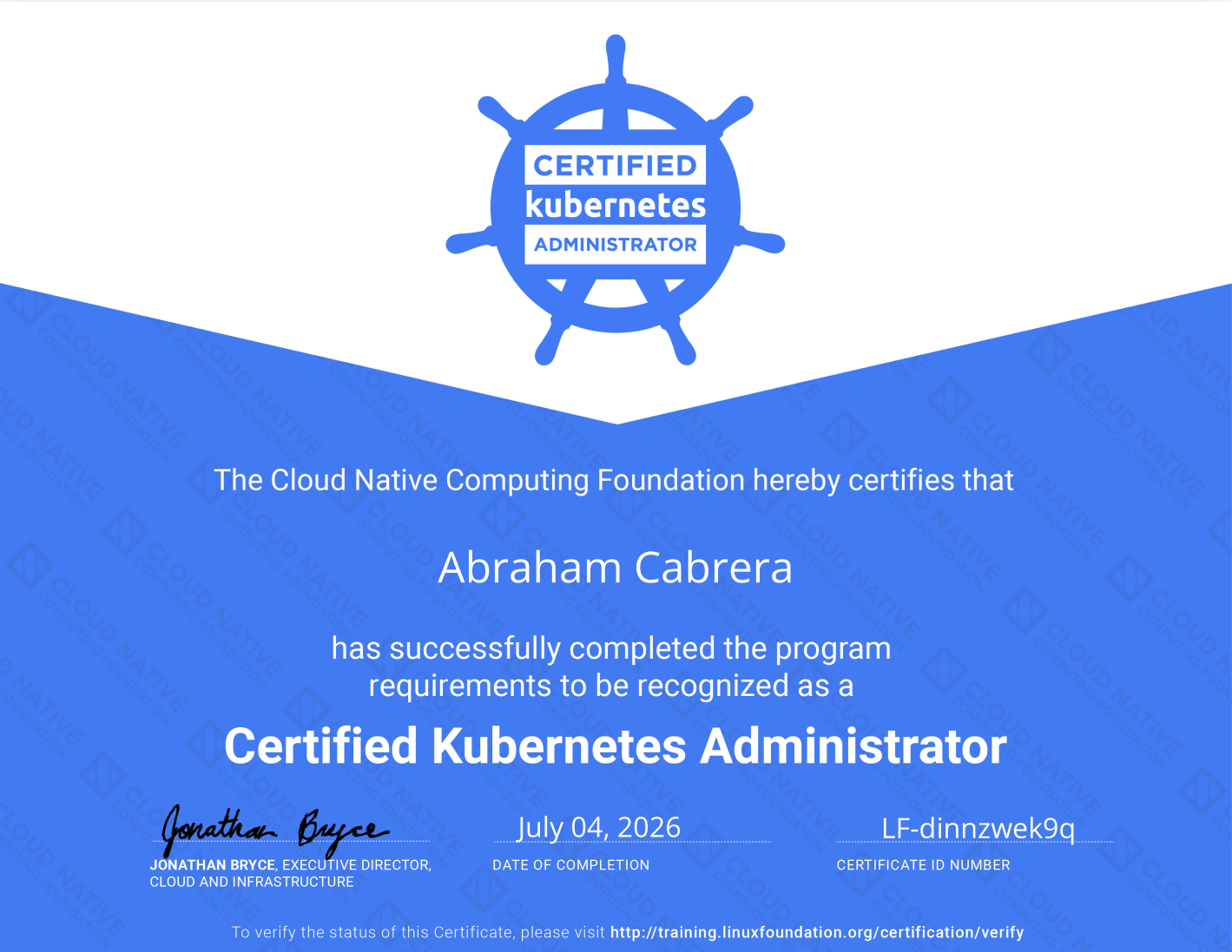
Maybe I could open a ticket about it, maybe not, but either way I passed and I’m happy with the score. I’m hoping to push it even higher on the next certification.
What’s Next#
Next up is the CKAD, the Certified Kubernetes Application Developer, and I’m taking the same approach: the KodeKloud course, the KillerCoda scenarios, and two Killer.sh simulated exams. This time I want to avoid the interruptions that slowed down CKA prep and get it done in two to three weeks. I’ve already built a prep plan the same way I did for CKA, and since the material is still fresh from this exam, I’m hoping to push past 90%.
I’m grateful for the resources and time I’ve had to put into this, and genuinely excited for what’s next. Yes, I want a job, but finishing this certification is its own accomplishment, and I’m proud of it. After CKAD, I’m looking at the CKS, the Certified Kubernetes Security Specialist.
Well, that’s all. See you in the next one.
P.S. I used Claude as a sounding board while reviewing this post. Its feedback helped tighten things up, but the ideas and final edits are mine.